Free online tool
AI Age Progression
Age a face up or down from one photo. Upload a portrait, describe the age shift.
See the transformation: original → result.
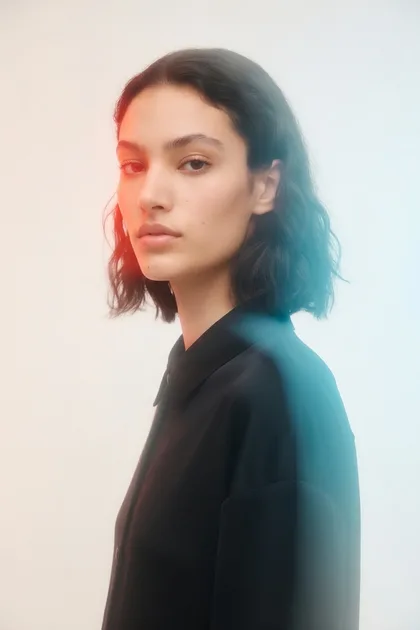

Upload a photo in Imagine — transform and download in one session.
What Icelake offers
What AI Age Progression does
AI Age Progression on Icelake is an upload-first tool: you bring a photo, apply a clear instruction, and get an edited result in Imagine — like Canva’s tool pages, but private by default.
Upload a photo
Start from your own image, not a chat detour.
One-click result
Starter prompt + model are preloaded for this job.
Private session
Prompts are not used to train models for other users.
Download ready
Export and keep results on your device.
Why Icelake
Why Icelake for ai age progression
People searching for ai age progression want a clear tool, not a vague AI homepage. Icelake mirrors Canva-style tool pages: show the result, open the workflow, generate.
Built like a real tool page
Clear demo, upload path, and result — not a vague chat landing for ai age progression.
No desktop suite
Skip Photoshop plugins and local AI installs.
Private by architecture
Iterate on personal photos without a public gallery default.
Model already chosen
Land on a tools or photoreal model that fits the edit.
How it works
How to use AI Age Progression
Three steps: upload, describe, download — same clarity as top creative tool pages.
- 1
Upload your image
Add a clear photo so Imagine can edit or animate from your file.
- 2
Confirm the model
Default model is z-image-turbo. Switch anytime in the picker.
- 3
Describe the result
Use the starter edit prompt or write your own instruction.
- 4
Download
Save locally. Prompts are not used to train models for other users.
Use cases
What you can make with AI Age Progression
Practical jobs this tool is built for.
Personal photos
Use AI Age Progression on selfies and portraits for private edits you control.
Product and commerce
Prep catalog-ready visuals without a desktop retouch stack.
Social and profile assets
Ship cleaner profile images and posts from phone photos.
Creative iterations
Try multiple versions quickly before you download a final.
Privacy
Private ai age progression on Icelake
AI Age Progression runs in a private Imagine session. Your prompts are not used to train models for other users.
Generate, iterate, and download — keep results on your device.
No training on prompts
Session prompts are not fed into public training loops.
No public gallery default
Results stay with you after download.
Guest-friendly
Try free credits before a plan.
Frequently asked questions
Don't see your answer? Contact support or start chatting free.
- What is ai age progression?
- AI Age Progression on Icelake is a one-click Imagine tool: mode (image-to-image), model (z-image-turbo), and a starter prompt open in a private browser session.
- Do I need to upload a photo?
- Yes for best results. This tool is built around an upload-first path so the model can edit or animate your source.
- Do I need to install software?
- No. Everything runs in the browser — open the workflow and generate.
- Is it free to try?
- Yes. Free guest credits let you test the real tool before upgrading.
- Is generation private?
- Icelake is built so prompts are not used to train models for other users. Download results to keep them on your device.
- Can I change the model?
- Yes. The default is z-image-turbo, and you can switch in the model picker anytime.
Try AI Age Progression free
Open Icelake Imagine with this tool preloaded — free guest credits, private by default.