AI generator
AI Image Generator
Turn words into images instantly. Describe what you want, generate a still, and download — private workspace, free guest credits.
Example outputs — open Imagine to generate your own.



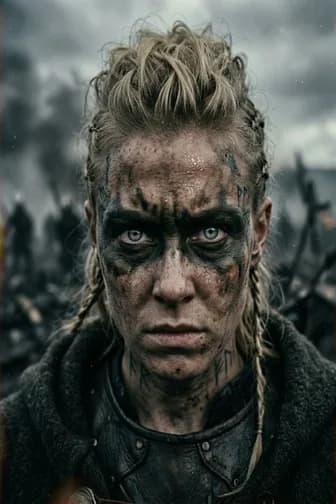
Example styles
Images generated from text prompts
Browse example outputs by style, then open Imagine with a starter prompt.
Open Imagine with a starter prompt — generate designs like these.
What Icelake offers
What AI Image Generator does
AI Image Generator turns a short description into a finished still. Like Canva’s AI generators: prompt → result, with a model chosen for the job and a private workspace.
Prompt to image
Describe the subject, style, and composition.
Model for the job
Defaults to z-image-turbo.
Starter recipe
Quality cues prefilled so first results are usable.
Free to try
Guest credits before you upgrade.
Why Icelake
Why Icelake for ai image generator
People searching for ai image generator want a clear tool, not a vague AI homepage. Icelake mirrors Canva-style tool pages: show the result, open the workflow, generate.
Prompt → result, clearly
Canva-style clarity for ai image generator: you see what the generator does before you click.
Style-aware defaults
Design, anime, photoreal, or creative models pinned when they fit.
Private generation
Prompts are not used to train models for other users.
Free guest credits
Test real output before a plan.
How it works
How to use AI Image Generator
Three steps: open, prompt, generate — same clarity as top creative tool pages.
- 1
Open the workflow
Click Start Generating — Imagine loads the AI Image Generator recipe.
- 2
Write or refine the prompt
Describe the result you want using the composer placeholder.
- 3
Generate
Generate in the browser and preview the result in your session.
- 4
Download
Save locally. Prompts are not used to train models for other users.
Use cases
What you can make with AI Image Generator
Practical jobs this tool is built for.
Marketing drafts
Create ai image generator assets for campaigns and decks.
Personal projects
Explore styles privately with free guest credits.
Brand experiments
Test looks before a full design production pass.
Content libraries
Batch concepts for blogs, thumbnails, and socials.
Privacy
Private ai image generator on Icelake
AI Image Generator runs in a private Imagine session. Your prompts are not used to train models for other users.
Generate, iterate, and download — keep results on your device.
No training on prompts
Session prompts are not fed into public training loops.
No public gallery default
Results stay with you after download.
Guest-friendly
Try free credits before a plan.
Frequently asked questions
Don't see your answer? Contact support or start chatting free.
- What is ai image generator?
- AI Image Generator on Icelake is a one-click Imagine tool: mode (text-to-image), model (z-image-turbo), and a starter prompt open in a private browser session.
- Can I start from text only?
- Yes. This tool is text-first. You can still attach references later in Imagine.
- Do I need to install software?
- No. Everything runs in the browser — open the workflow and generate.
- Is it free to try?
- Yes. Free guest credits let you test the real tool before upgrading.
- Is generation private?
- Icelake is built so prompts are not used to train models for other users. Download results to keep them on your device.
- Can I change the model?
- Yes. The default is z-image-turbo, and you can switch in the model picker anytime.
Try AI Image Generator free
Open Icelake Imagine with this tool preloaded — free guest credits, private by default.